
AMS_Blake_W (Customer) asked a question.
I am developing for a large project that requires MQTT Client communication, and after research I found this CPU. I have been following your Codesys Productivity guide. I started out using Codesys V3.5 SP21. After a few days of development, I opened my project and was given an error message that there were corrupt files. I had to un-install and when I went to re-install I noticed there was new version, so I installed Codesys 3.5 SP22.
A few more days of development, I have received the same corrupt message again. I am planning on deploying hundreds of these systems and I am starting to doubt my choice in hardware. I believe the corrupt message does point to the P2CDS622 package installation, but I didnt grab a screenshot.
I am mostly back up and developing on the software, but feel I'm on borrowed time. I did notice that when I went to add the P2CDS622_NetConfig to my Device tree, I get an error message. I have attached that message. If someone can point me in the right direction, it would be greatly appreaciated.
I haven't ran into these errors myself. If you do get a chance to get a screenshot of that corruption error message that could help some.
If the project has been corrupted somehow, I believe it's very unlikely to recover it. If you haven't already, I would keep a backup during the development process.
"I had to un-install and when I went to re-install I noticed there was new version, so I installed Codesys 3.5 SP22."
Packages can be uninstalled and reinstalled using the Codesys Installer tool. Not sure if you mean reinstalling Codesys software itself or P2CDS-622 package.
It seems very odd that you've ran into this twice. What PC and OS are you developing on? Have you tried a different PC?
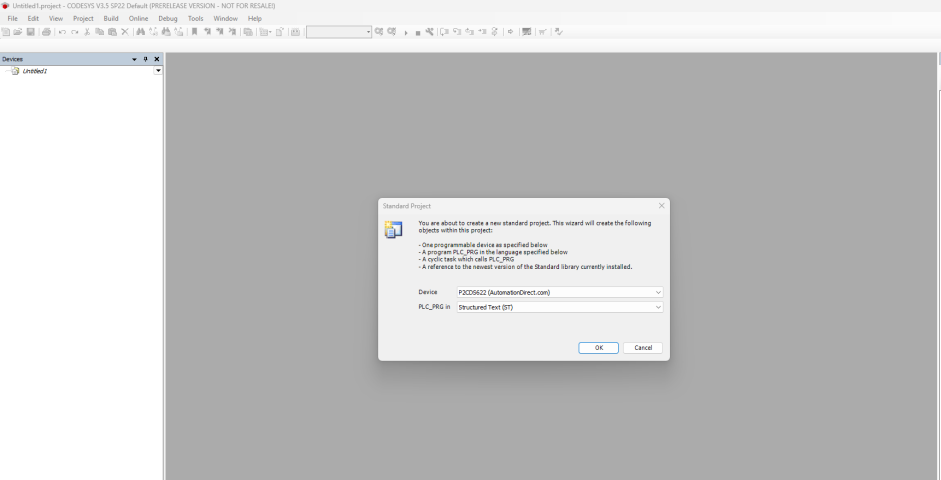
Update. As a test I started with a brand new environment. Codesys V3.5 SP22 install with the P2CDS622 package installation. I cant even create a new project that uses the P2CDS device without getting an error. See new screenshots. What version of Codesys are you guys using?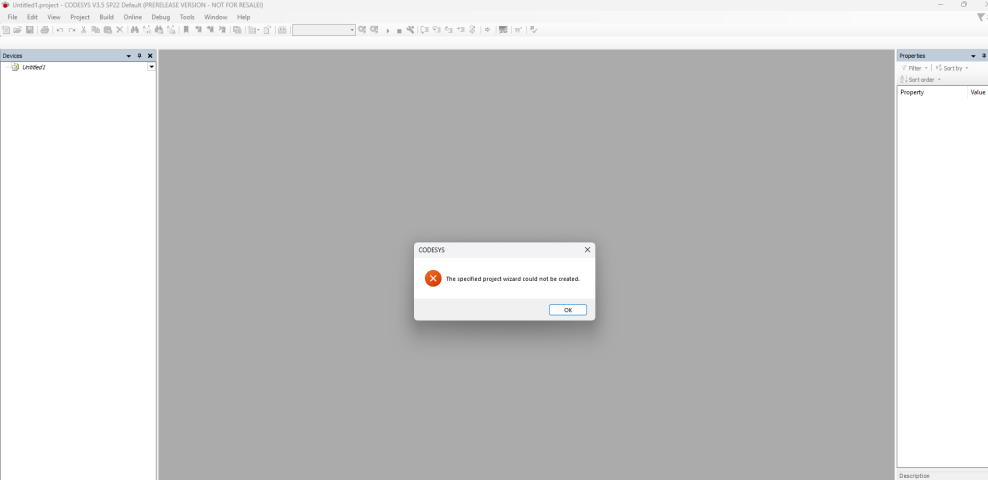
Here is a screenshot of my PC's system info.
We generally try and keep up to date with Codesys software version when they release, last one being 3.5 SP21 patch 5.
Just want to double check you're using the 64-bit version? I would go back to 3.5 SP21 since they are going to be doing more software updates.
I've installed 3.5 SP22 and seeing if I can recreate the issue but nothing yet.
Thanks for the feedback. I'm using 64 bit and I can revert to SP21. Another thing I just noticed that could be causing this, my hard drive is pretty much full. I forgot about this and actually have another SSD sitting here that I've been meaning to install. I know that has caused issues with other software in the past.
No problem. Yeah that could be the issue. Codesys does use a varying size of space for like temporary project files ect. It varies on each project. Hopefully this fixes your problems.
Update. I installed more storage space and put a fresh 3.5 SP22 install on it. Before I could even open a program I received a "Corruption file exists" error. I uninstalled that then installed 3.5 SP21 and the same thing happened. I've uploaded a screenshot.
I ran the repair utility but that was unsuccessful. I uninstalled then reinstalled again, and was functional. I added in the libraries, then created a new project from scratch. I was able to re-write my program and was able to pull in the P2CDS622_NetConfig Device. So far it seems to be good. But who knows for how long.
Side question, I would like to be to display a PLC fault code and message on a visualization screen. My initial searches are not finding any tags for that. Is this possible?"I would like to be to display a PLC fault code and message on a visualization screen."
You can use the P2CDS622_SystemTags device. It's added the same way you add the Netconfig device.
For the corrupted error message, it's not related to the P2CDS-622 cpu. The error messages is coming from the software itself. It doesn't affect any program you have already uploaded to the cpu.
I would keep a backup of your progress as you are writing your program. Use the project archive feature for your backups under File --> Project Archive --> Save Archive.