
McLendon Automation (Customer) asked a question.
Sure Servo2 Parameter Read failed. How to resolve?
On some of the Sure Servo2 Drives I have installed I get a Parameter Read Error when using a USB connection. See the attached Pic. How can I resolve this issue so I am sure to get the full Parameter list read?
I would first recommend upgrading to latest software version V0.0.4.4. Let me know if you can duplicate once upgraded. I know this may not fix the issue since it only does it on some drives and not all drives.
https://www.automationdirect.com/support/software-downloads#
Thank you for the reply.
I upgraded to version 0.0.4.4 and still received the same msg.
I would like to add that the USB cable I am using is SV2-PGM-USB30.
Could possibly be noise related issue. Is the USB isolator that came with the cable connected between the drive and the cable?
Yes, I have tried it both ways. This has been an on going issue but has never kept me from setting up one of these drives before now.
It is interesting how from drive to drive it behaves differently. For example, this project has six identical SureServo2 drives all purchased at the same time and four of them upload all parameters fine and two of them give me this error.
If you swap drives (one that reads ok with one that doesn't) from one location to the other does the problem follow the drive?
I can try it... but nothing is currently running within this system and take a look at how these drives are installed. See what you think.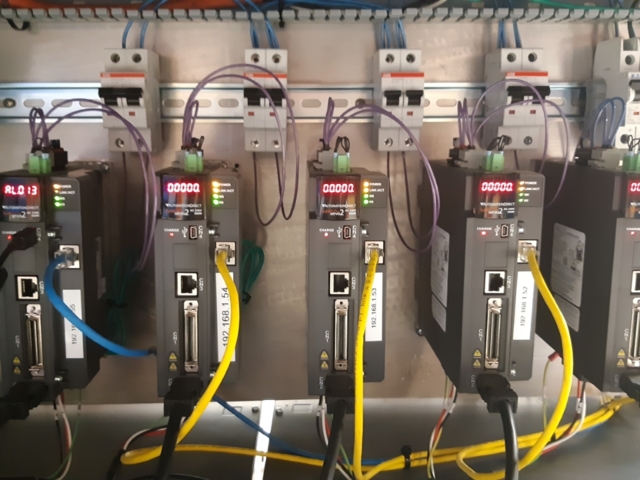
Before swapping and moving anything I would recommend the next step is for you to reach out to our technical support team for additional assistance by selecting contact support at top of this page or calling 1-800-633-0405.