
Sparkman71 (Customer) asked a question.
Printing to a Seiko DPU-D3-00A-E serial printer.
I found that I need only connect to the TxD, RTS, and Ground lines to be able to print to this Seiko printer. Connecting any other lines sets up cross-talk between the printer and the PLC and results in random characters.
This basic wiring would apply to most RS232 connections.
Regards,
Garry
https://accautomation.ca/series/click-plc/
Unfortunately, that isn't clear in the documentation. Also, customer support never answered me either.
I did not look closely at your connections. I thought you mentioned TxD, RxD, and GND.
Seiko DPU-D3-00A-E serial printer Manual
https://www.glynshop.com/erp/owweb/Daten/DSS/Seiko%20Instruments/Products/Specifications/DPUD/DPUD_TR_E_U00115337201.pdf
Here is the pinout of the printer's RS232 Port.
Click Printer
1 - GND ------------------------------------------ 17-GND
3 - RxD ------------------------------------------- 11 - TxD
4 - TxD -------------------------------------------- 12 - RxD
Note:
Printer Jumpers
Pin 18 to Pin 17 - Serial Communication
Pin 13 to Pin 14 - RTS, CTS
Pin 15 to Pin 16 - DTR, DSR
Depending on the printer protocol, it may not send back any information. In this case, the TxD may not be required. I would wire this up anyway for testing. These are the three basic lines for any RS232 signal.
Regards,
Garry
When in normal printing mode it was like the top picture. I lost almost an entire day sorting this out.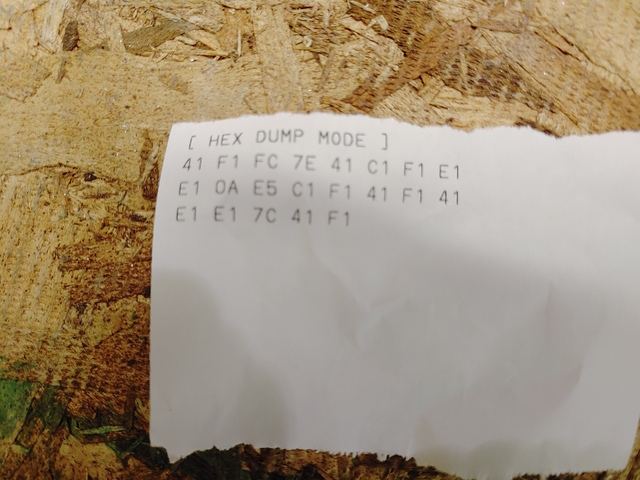
The main thing is that you are getting information between the PLC and Printer.
Are the serial parameters the same at each end?
Meaning:
Baud Rate, Parity, Stop bits, Data Bits
I have seen parameters not match and this will be the result.
Regards,
Garry
Yes, now that I disconnected the other lines, everything prints correctly. I was just hoping to keep someone else from the frustration caused by having the other lines connected.
It must be the actual printer itself that does not like the TxD connected.
Thanks for the information.
Garry